
How to Build a Simple Bookkeeping Workflow
A simple, consistent bookkeeping workflow turns bookkeeping from a stressful scramble into a predictable routine. This step by step guide walks through how to build one, with real examples and a printable checklist.
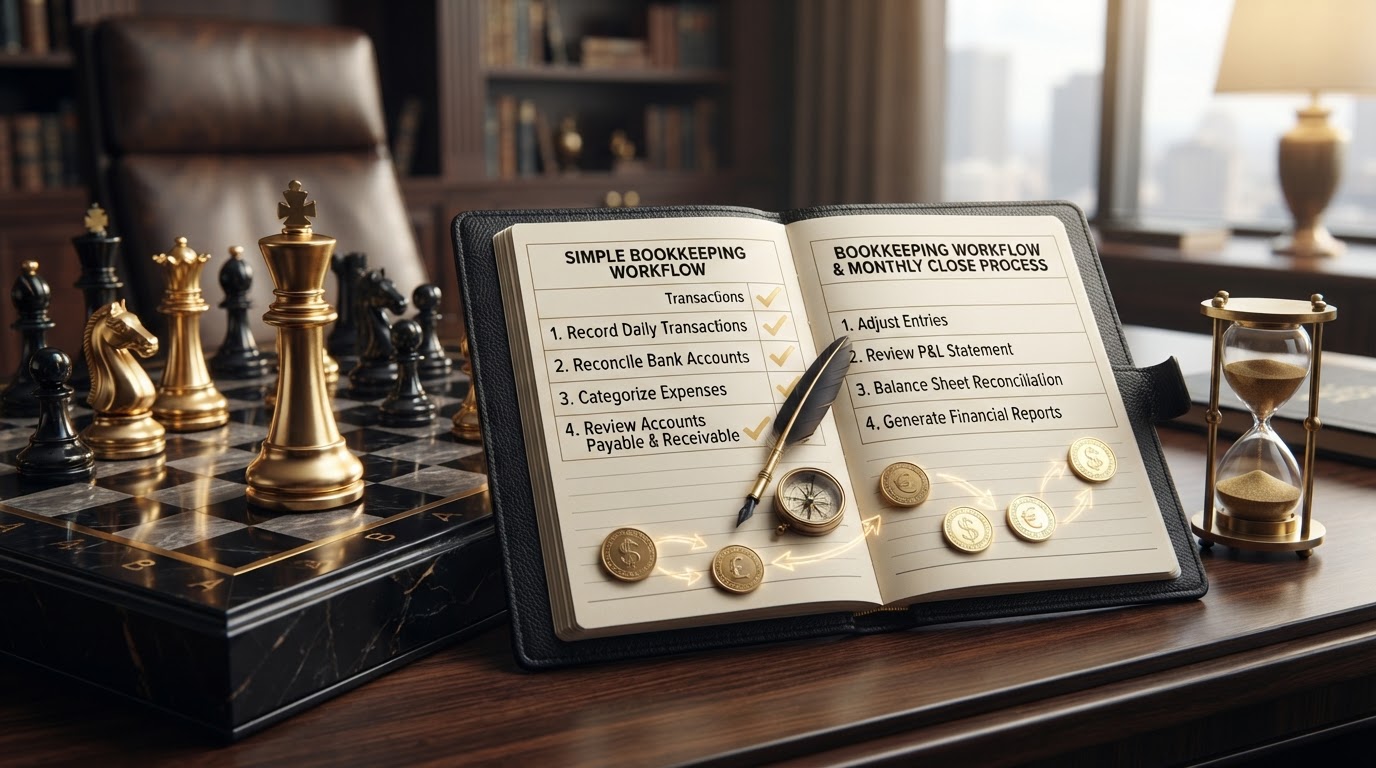
A bookkeeping workflow is the repeatable sequence of steps you follow every month to record transactions, reconcile accounts, review reports, and close the books. A simple, consistent workflow is what turns bookkeeping from a stressful scramble into a predictable routine. When you follow the same steps in the same order every month, your books stay accurate, your reports stay trustworthy, and you spend less time hunting down problems and more time running your business.
This guide walks through how to build a simple bookkeeping workflow from start to finish. It is written for small business owners who handle their own books and for teams who want a consistent routine to follow every month. If your books are already behind, start with our guide on catch up bookkeeping and how to get back on track before you build a new workflow on top of messy records.
How to Build a Simple Bookkeeping Workflow
Building a bookkeeping workflow is a methodical process, not a quick setup. Work through these steps in order, one routine at a time, until your books run on a predictable cycle every month.
1. Choose Your Bookkeeping Method
Before you build a workflow, decide whether your books will use cash basis or accrual basis accounting. On a cash basis, you record income when you receive payment and expenses when you pay a bill. On an accrual basis, you record income when you earn it and expenses when you incur them, regardless of when cash moves. Your method affects when transactions enter your workflow and how your reports look each month. Choose one method and apply it consistently so your workflow produces comparable reports from month to month.
Why it matters. Your accounting method determines when each transaction enters your workflow. Mixing methods or switching without a plan makes your reports inconsistent and your workflow unreliable.
Common mistake. Switching between cash and accrual mid year without adjusting your existing records. The reports stop comparing cleanly and the workflow breaks down.
2. Set Up Your Chart of Accounts
Your chart of accounts is the list of accounts your workflow posts every transaction to. Set up accounts for your bank, credit cards, revenue streams, expense categories, assets, liabilities, and equity. Keep the list simple enough to use every day but detailed enough to produce meaningful reports. A clean chart of accounts is the foundation your workflow builds on, because every step that follows depends on transactions landing in the right account.
Why it matters. Every transaction in your workflow flows to an account in your chart of accounts. A disorganized chart makes categorization slow and your reports unclear.
Common mistake. Creating too many accounts in an attempt to track every detail. An oversized chart of accounts slows down data entry and makes reports harder to read.
3. Connect Your Bank and Credit Card Feeds
Connect your business bank accounts and business credit cards to your bookkeeping software so transactions flow in automatically. Bank feeds eliminate manual data entry for most transactions and give your workflow a reliable starting point every month. Confirm every account you use for business is connected, including checking, savings, and any credit cards you use for business expenses. Personal accounts should never enter your business workflow.
Why it matters. Bank feeds are the input that feeds your workflow. Without them, every transaction is manual, and manual entry is where most errors begin.
Common mistake. Connecting only the main checking account and forgetting a business credit card or a secondary account. The missing transactions never enter the workflow and your reconciliation breaks.
4. Collect and Organize Receipts and Invoices
Set up a single place where every receipt, invoice, and bill lands, whether that is a dedicated email folder, a cloud storage folder, or a receipt capture app. A consistent collection point is what makes your workflow efficient, because you spend time finding documents once instead of hunting for them at month end. Match every receipt to the transaction it supports so your workflow has the documentation it needs for every entry.
Why it matters. Receipts and invoices are the proof behind every transaction. A collection routine keeps them organized so your workflow runs smoothly instead of stalling on missing documents.
Common mistake. Stuffing receipts in a drawer or leaving them in scattered email inboxes. By month end, half are missing and the workflow turns into a scavenger hunt.
5. Categorize Transactions Regularly
Categorize your transactions on a regular schedule, ideally weekly, so the work stays small and manageable. Review each transaction, match it to the correct account in your chart of accounts, attach the supporting receipt, and confirm the vendor name and amount. Categorizing weekly keeps your workflow moving and prevents a backlog from building. A weekly categorization habit is far easier to maintain than a monthly marathon.
Why it matters. Regular categorization keeps the workflow moving and prevents a backlog. Waiting until month end turns a small weekly task into an overwhelming monthly chore.
Common mistake. Letting transactions pile up uncategorized for weeks. By the time you sit down to sort them, you can no longer remember what half of them were for.
6. Issue and Track Invoices Promptly
Issue every invoice promptly after the work is completed or the product is delivered, and record it in your books as an accounts receivable transaction. Track every open invoice by due date so you know what is outstanding and when it is due. Prompt invoicing is what keeps your receivables accurate and your cash flowing, because an invoice you never sent is money you never collect.
Why it matters. Invoices drive your revenue and your receivables. Issuing and tracking them promptly keeps your income recognized and your collections on schedule.
Common mistake. Waiting until the end of the month to issue invoices. Late invoices mean late payments and a receivables balance that understates what you actually earned.
7. Record and Track Every Bill
Record every bill you receive as an accounts payable transaction, posted to the correct vendor and the correct expense account, with the due date noted. Track your open bills by due date so you can plan your cash around your obligations instead of reacting to a surprise shortage. Recording bills promptly is what keeps your payables accurate and your cash position clear.
Why it matters. Bills drive your payables and your cash outflow. Recording and tracking them keeps your expense reporting accurate and your due dates under control.
Common mistake. Paying bills directly from the bank without ever entering them as payables. The expense is recorded but the payable never appears, so you cannot track what is still outstanding.
8. Reconcile Every Bank and Credit Card Account
Reconcile every business bank account and every business credit card to the corresponding statement every month. Match each transaction in your books to the corresponding transaction on the statement, and investigate every difference until your books match the statement balance exactly. Reconciliation is the step that proves your workflow produced accurate records. For a full walkthrough, see our guide on how to reconcile a business bank account.
Why it matters. Reconciliation is the proof your workflow worked. Without it, every report your workflow produces is built on unverified numbers.
Common mistake. Skipping reconciliation when the balance looks close enough. A small difference hides a missing or duplicated transaction that grows over time.
9. Review Accounts Receivable and Payable Aging
Pull your accounts receivable aging and your accounts payable aging every month as part of your workflow. Scan the receivables aging for overdue invoices that need follow up, and scan the payables aging for bills approaching their due dates. The aging reports are your early warning system for cash flow problems, vendor relationship issues, and collections that need attention before they become write offs.
Why it matters. The aging reports show you exactly what needs attention before it becomes a problem. Without them, your workflow closes the month blind to what is outstanding.
Common mistake. Looking only at the total balances. A total that looks fine can still hide a single large overdue invoice or a bill about to trigger a late fee.
10. Generate and Review Financial Reports
Generate your profit and loss statement, your balance sheet, and your cash flow statement every month after your accounts are reconciled. Review each report for accuracy, compare the results to the prior month, and investigate anything that looks unusual. Monthly reports are the output of your workflow and the tool that turns your bookkeeping into business insight. Accurate reports depend on every prior step running correctly.
Why it matters. Reports are the output your workflow exists to produce. Reviewing them monthly turns raw data into decisions and catches errors while they are still small.
Common mistake. Generating reports but never reading them. A report you do not review cannot inform a decision, and the errors it would have caught go unnoticed.
11. Document Your Workflow So It Repeats
Write down your workflow step by step so anyone who touches your books follows the same routine. Note which accounts are connected, how receipts are collected, how often transactions are categorized, when invoices and bills are recorded, when reconciliations are due, and who reviews the reports. A documented workflow is what keeps your books consistent across people and across months, and it makes handoffs clean when someone new takes over.
Why it matters. Consistency comes from a documented process, not memory. A written workflow keeps your routine intact even when the people change.
Common mistake. Keeping the workflow in your head. When someone else helps with the books, the routine disappears and the workflow drifts.
12. Lock the Period After the Close
Once your accounts are reconciled, your reports are reviewed, and your aging is checked, lock the period. Locking prevents future edits to the transactions you just confirmed, which protects the integrity of the month and keeps the next workflow cycle clean. A locked period is a protected baseline that the next month builds on, and it is the step that closes your workflow loop.
Why it matters. A locked close is a fixed reference point. Without it, a later edit can silently change a prior month and reopen gaps you already resolved.
Common mistake. Leaving the period unlocked because you might need to adjust it later. Edits to a closed period are exactly what create discrepancies in future months.
13. Review and Refine Your Workflow Quarterly
Every quarter, step back and review whether your workflow still fits your business. Check whether your chart of accounts still matches your revenue streams, whether your categorization is still accurate, and whether any new accounts or payment methods need to be added. A workflow that fit your business at the start of the year may not fit by the end, and a quarterly review keeps it aligned with how your business actually operates.
Why it matters. Your business changes, and your workflow needs to keep up. A quarterly review keeps your routine aligned with your operations and prevents drift.
Common mistake. Building a workflow once and never revisiting it. As your business grows, the routine that worked at the start stops producing the reports you need.
14. Hand Off Clean Books to Your Tax Preparer
At year end, your workflow produces the clean, reconciled, and reviewed books your tax preparer needs. Hand off a copy of your final financial reports, your reconciled trial balance, and any supporting schedules your preparer requests. A workflow that ran all year makes the handoff simple, because your books are already organized and accurate. We handle bookkeeping and payroll. We do not prepare income tax returns, but a clean workflow all year is what makes your tax preparer efficient.
Why it matters. A year of clean workflows produces clean year end books. The handoff is the payoff for twelve months of consistent routine.
Common mistake. Waiting until year end to organize your books for your tax preparer. A rushed cleanup produces errors and delays that a consistent workflow would have prevented.
Two Real Small Business Examples
Example: A small landscaping company. A landscaping owner managed his books by memory, categorizing transactions whenever he remembered and reconciling only when his accountant asked. His reports were always months behind and his cash flow was a constant surprise. He built a simple weekly workflow: he connected his bank feed, categorized transactions every Friday, recorded invoices and bills the day they arrived, and reconciled on the first Monday of each month. Within two months, his reports were current, his cash flow was predictable, and he stopped dreading his bookkeeping.
Example: A growing consulting firm. A consulting firm owner had no documented workflow, so each team member categorized transactions differently and the monthly reports were inconsistent. She wrote down a simple workflow, assigned each step to a specific person, and set a weekly categorization schedule and a monthly close date. The next month, her reports were consistent, her reconciliation matched on the first pass, and her year end handoff to her tax preparer took a fraction of the time it had the year before.
Printable Bookkeeping Workflow Checklist
Use this checklist to run your bookkeeping workflow every month. Print it, save it, or share it with whoever handles your books.
- Choose your bookkeeping method, cash or accrual, and apply it consistently.
- Set up a clean chart of accounts that fits your business.
- Connect every business bank account and credit card to your software.
- Set up a single place to collect every receipt, invoice, and bill.
- Categorize transactions on a weekly schedule to prevent a backlog.
- Issue every invoice promptly and track it as a receivable by due date.
- Record every bill as a payable with its due date noted.
- Reconcile every bank and credit card account to the statement each month.
- Pull your receivables and payables aging and investigate anything overdue.
- Generate and review your profit and loss, balance sheet, and cash flow reports.
- Document your workflow step by step so it repeats consistently.
- Lock the period after the close to protect the confirmed records.
- Review and refine your workflow every quarter to keep it aligned.
- Hand off clean, reconciled books to your tax preparer at year end.
Getting Started
A simple bookkeeping workflow is the difference between books that stay accurate all year and books that need a rescue every few months. Every step you follow, from connecting your bank feed to locking the period, keeps your records trustworthy and your reports useful. The good news is that the process is the same every month: categorize regularly, reconcile every account, review your reports, and close the period. Build it into a routine and the work stays small. Skip it for a few months and your books drift, your reports blur, and your cleanup grows. If your books are already behind or your workflow feels overwhelming, the best next step is a conversation about where your books stand today.
Ready to build a bookkeeping workflow that runs itself? Explore our bookkeeping services and let us connect your accounts, categorize your transactions, reconcile every account, and close your books every month. We handle bookkeeping and payroll. We do not prepare income tax returns, offer tax planning, or perform audits, but we keep your books accurate and organized so you can run your business and your tax preparer can do their part efficiently.
Frequently Asked Questions
What is a bookkeeping workflow?
A bookkeeping workflow is the repeatable sequence of steps you follow every month to record transactions, reconcile accounts, review reports, and close the books. A simple, consistent workflow turns bookkeeping from a stressful scramble into a predictable routine that keeps your books accurate and your reports trustworthy.
How often should I run my bookkeeping workflow?
Categorize transactions weekly to prevent a backlog, and complete the full monthly close, including reconciliation and report review, once every month. A weekly categorization habit keeps the work small, and a monthly close keeps your books accurate and your reports current. Review and refine the workflow itself every quarter.
What is the difference between cash basis and accrual basis in a workflow?
On a cash basis, you record income when you receive payment and expenses when you pay a bill. On an accrual basis, you record income when you earn it and expenses when you incur them, regardless of when cash moves. Your method affects when transactions enter your workflow and how your reports look each month. Choose one method and apply it consistently.
Why is reconciliation part of a bookkeeping workflow?
Reconciliation is the step that proves your workflow produced accurate records. By matching every transaction in your books to the corresponding statement, you confirm your records are complete and correct before you generate reports. Without reconciliation, every report your workflow produces is built on unverified numbers.
How do I keep my bookkeeping workflow consistent across a team?
Document your workflow step by step so anyone who touches your books follows the same routine. Note which accounts are connected, how receipts are collected, how often transactions are categorized, when reconciliations are due, and who reviews the reports. A documented workflow keeps your routine intact even when the people change.
What happens if I skip my bookkeeping workflow for a few months?
Skipping your workflow lets transactions pile up uncategorized, reconciliations fall behind, and reports become unreliable. The longer you wait, the harder it is to remember what each transaction was for and the more time the cleanup takes. If your books are already behind, start with a catch up pass before you rebuild your routine.
Can Chess Bookkeeping & Payroll build and run my bookkeeping workflow for me?
Yes. Building and running a reliable bookkeeping workflow is a core part of our bookkeeping service. We connect your accounts, categorize your transactions, reconcile every account, review your reports, and close your books every month. We handle bookkeeping and payroll. We do not prepare income tax returns, offer tax planning, or perform audits, but we keep your books accurate and organized so your tax preparer can do their part efficiently.
Need help getting your books in order?
We focus exclusively on bookkeeping and payroll. Let's talk about where your books stand today.
Get StartedReady to simplify your books and payroll?
Schedule a consultation and let's talk about how precise bookkeeping and reliable payroll can give your business the clarity it deserves.