
How to Track Employee Overtime Hours
Tracking employee overtime hours means separating the regular hours from the overtime hours every period, confirming the split is right, and keeping a record that ties the overtime to the pay and the time. When overtime is tracked loosely, the split is missed or doubled, the overtime pay is wrong, and the run stops matching the time record. The good news is that most overtime runs follow the same small set of steps, which means one routine handles them cleanly. This guide walks through how to track employee overtime hours, from the pieces you track to the steps that turn the hours into an accurate run, with two real examples and a clear set of checks so your next run starts from numbers that agree.
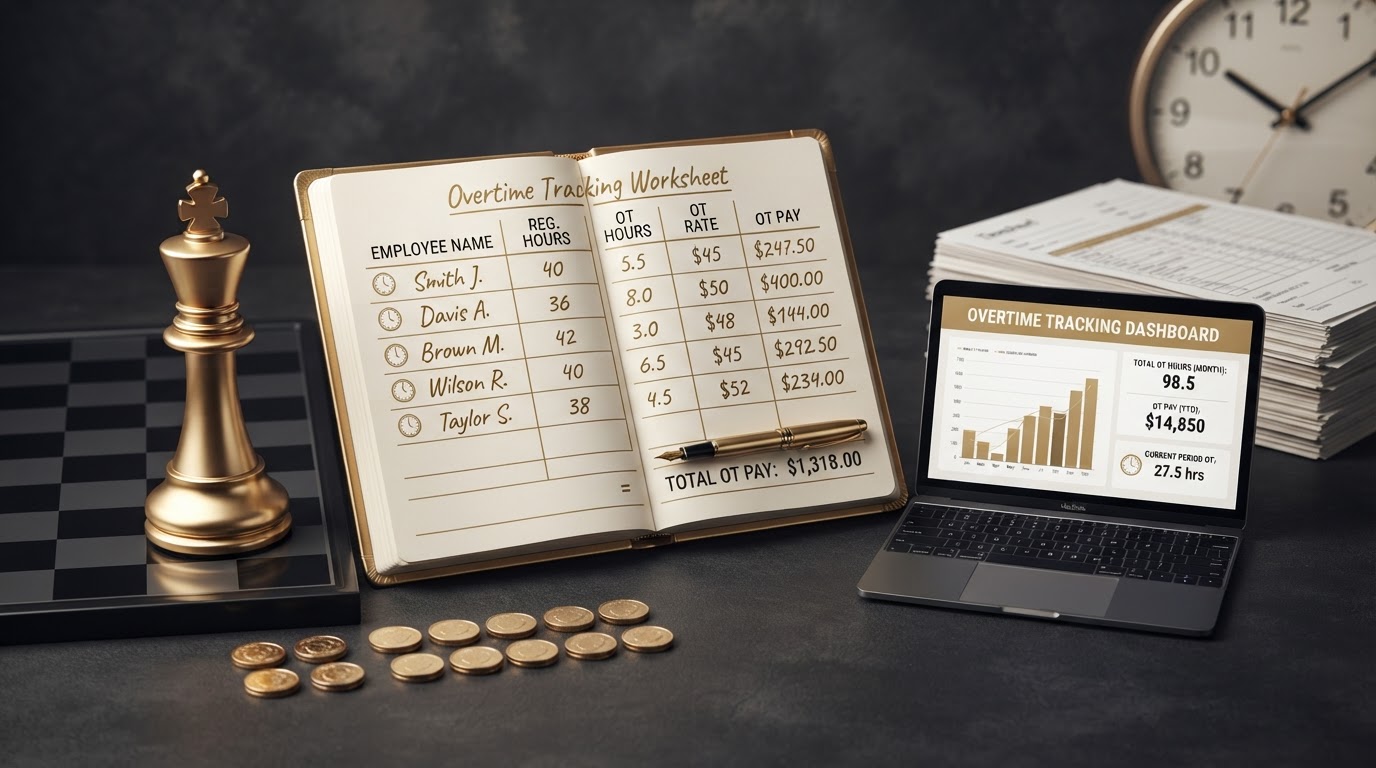
Tracking employee overtime hours means separating the regular hours from the overtime hours every period, confirming the split is right, and keeping a record that ties the overtime to the pay and the time, so every run ties to the timesheet and the bank.
This guide walks through how to track employee overtime hours, from the pieces you track to the steps that turn the hours into an accurate run. If you are newer to the pay side of overtime, it helps to start with our guide on how to calculate overtime pay correctly before you walk through the routine. For a fuller look at the time record that drives the split, see our guide on why accurate time tracking matters for payroll.
What Tracking Overtime Hours Means
Tracking overtime hours means running the pay from the hours worked, with the regular hours and the overtime hours split the right way. Each period, you collect the time record, confirm the total hours, split the regular hours from the overtime hours, and calculate the overtime pay from the overtime hours and the overtime rate. The deductions come off the gross pay, and the net pay is what hits the bank.
The goal is simple, which is a run where the overtime hours tie to the timesheet, the overtime pay ties to the overtime hours, and the net pay ties to the bank. When the routine runs the same way every period, the hours land in the right week, the overtime is neither missed nor doubled, and the next run starts from numbers that already agree.
The Pieces You Track
Most overtime runs turn on the same small set of pieces. Knowing them helps you confirm each one before the run so the overtime stays accurate.
- Clock in and clock out times. The start and end of each shift, which is the raw record the total hours come from. A missed clock or a wrong time makes the total drift and the split wrong.
- Total hours worked. The sum of the hours across the period, which is the figure the split comes from. Confirm the total before you split the regular hours from the overtime hours.
- Regular hours and overtime hours. The split between the regular hours and the overtime hours, which sets the rate each piece is paid at. A wrong split makes the overtime pay wrong.
- Overtime pay rate. The rate the overtime hours are paid at, which may follow a set rule or a threshold. Confirm the rate that applies to each employee before you calculate the overtime pay.
- Overtime pay for the period. The overtime hours multiplied by the overtime rate, which is the amount that feeds the gross pay. Keep a record that ties the overtime pay to the overtime hours and the time.
Why Overtime Tracking Drifts
Overtime tracking drifts when the split is handled loosely. A missed clock, a wrong total, or a split that skips the overtime check makes the overtime hours wrong, which makes the overtime pay wrong. The run still goes out, but the pay does not tie to the time record, and the gap shows up at the next close.
The drift also repeats. A time record that skips the split once will skip it again unless the routine changes. Running the same steps every period is the difference between a run you trust and a run you hope is right, which is why the routine is worth doing for every period, not just the busy ones.
What You Need Before You Start
Before you split a single hour, gather three things: the time records for the period, the overtime rule that applies to each employee, and the pay rates for each employee. The time records are the clock in and clock out times and the totals. The overtime rule is the threshold or the rate that sets which hours are overtime. The pay rates are the regular rate and the overtime rate for each employee.
The goal is a run where each piece is confirmed before the pay is calculated, so the overtime hours tie to the timesheet and the net pay ties to the bank.
How to Track Employee Overtime Hours
Most overtime runs follow the same small set of steps. Knowing them helps you run the pay in order and keep the overtime tied to the time record.
- Collect the time records for the period. Pull the clock in and clock out times for each employee, so you have the raw hours before you total them.
- Confirm the total hours for each employee. Add the hours across the period and confirm the total, so the figure the split comes from is right.
- Confirm the overtime rule that applies. Confirm the threshold or the rate that sets which hours are overtime for each employee, so the split follows the right rule.
- Split the regular hours and the overtime hours. Move the hours past the threshold into the overtime column, so each piece is paid at the right rate.
- Apply the overtime rate to the overtime hours. Multiply the overtime hours by the overtime rate, so the overtime pay is calculated from the right amount.
- Apply the deductions to the gross pay. Withhold the taxes and the benefit deductions from the gross pay, so the net pay is the amount that hits the bank.
- Confirm the net pay ties to the bank. Confirm the net pay for each employee matches the amount that will leave the bank, so the run ties to the cash.
Quick tip. Confirm the split before you run the pay, not after. An overtime hour confirmed before the run is one number. An overtime hour caught after the run is a correction that reaches the bank.
Example: A Cafe Splits a Long Week
Consider a small cafe with hourly employees paid weekly. The owner used to collect the time records at the end of the period and total them in one pass, which left a long shift in the regular column instead of the overtime column more than once. The owner builds an overtime split routine and runs it before the pay is calculated.
The owner pulls the clock in and clock out times, confirms the total hours for each employee, and confirms the overtime rule that applies. The owner moves the hours past the weekly threshold into the overtime column, applies the overtime rate, applies the deductions, and confirms the net pay ties to the bank. The example shows how confirming the split before the run keeps the overtime tied to the timesheet and the net pay tied to the bank.
Example: A Shop Catches a Doubled Overtime Entry
Take a small retail shop with hourly employees paid biweekly. During the period close, the owner notices the overtime pay for one employee reads high, but the overtime hours read right. The owner checks the time record and finds the overtime hours were moved into the overtime column twice, so the overtime pay was calculated twice.
The owner removes the doubled entry, recalculates the overtime pay from the right hours, and confirms the net pay. The owner keeps a short note about the correction with the payroll records. The example shows how the split check catches a doubled overtime entry before it reaches the bank. For a fuller look at the work that sits before the run, see our guide on how to prevent timesheet errors before payroll.
Common Overtime Tracking Mistakes
- Running the pay before the split is confirmed. A run calculated from an unconfirmed split pays the wrong amount. Confirm the regular hours and the overtime hours before you run the pay so the overtime ties to the timesheet.
- Missing the overtime split. Hours that cross into overtime but stay in the regular column underpay the employee. Split the regular hours and the overtime hours every period so the overtime is paid at the right rate.
- Doubling the overtime hours. Hours moved into the overtime column twice overpay the employee. Confirm the split once and the total once so the overtime is neither missed nor doubled.
- Using the wrong overtime rate. A rate or a threshold that never reaches the run pays the wrong amount. Confirm the overtime rule that applies to each employee before you calculate the overtime pay.
- Not keeping an overtime record. An overtime run with no record is hard to trace later. Keep the overtime hours, the overtime rate, and the overtime pay with the timesheet so the work is easy to follow.
- Not tying the net pay to the bank. A net pay that does not match the bank withdrawal leaves the run out of agreement. Confirm the net pay for each employee matches the amount that will leave the bank.
Getting Started
Tracking employee overtime hours comes down to splitting the regular hours from the overtime hours every period, confirming the split before the run, and keeping a record that ties the overtime to the pay and the time. When you run the same routine every period, the hours land in the right week, the overtime is neither missed nor doubled, and the run ties to the timesheet and the bank.
Want help tracking your overtime hours? Explore our payroll services to see how we track regular and overtime hours, confirm the split, calculate the overtime pay, and tie the net pay to the bank. We handle bookkeeping and payroll. We do not prepare income tax returns, offer tax planning, or perform audits, but we keep your payroll accurate and your records organized so your tax preparer can do their part efficiently.
Frequently Asked Questions
How do I track employee overtime hours?
Collect the time records for the period, confirm the total hours for each employee, split the regular hours from the overtime hours, confirm the split is right, and keep a record that ties the overtime to the pay and the time. Confirm the run ties to the timesheet and the net pay ties to the bank so every run stays accurate.
What do I need to track for overtime hours?
Track the clock in and clock out times, the total hours worked, the regular hours and the overtime hours, the overtime pay rate, and the overtime pay for the period. Each piece feeds the gross pay, so a missed clock or a wrong split makes the run drift. For a fuller look at why the time record matters, see our guide on why accurate time tracking matters for payroll.
How do I know which hours are overtime?
Overtime is based on the hours worked in the period and the rules that apply to the employee. A common pattern is that hours worked past a set daily or weekly threshold move into the overtime column at the overtime rate. Confirm the rule that applies to each employee before you split the hours, and keep the split in the same place every period so the overtime is neither missed nor doubled. For a fuller look at the math, see our guide on how to calculate overtime pay correctly.
How often should I track overtime hours?
Track overtime every period, as part of the time approval that runs before the pay is calculated. A set routine keeps the overtime in the right period and the pay in the right week. Build the overtime split into the time approval so the hours are confirmed before the run, not after.
Does tracking overtime hours mean I am preparing income tax returns?
No. Tracking overtime hours is part of bookkeeping and payroll, which is the work of turning employee hours into accurate pay. Income tax return preparation is a separate service. Chess Bookkeeping & Payroll does not prepare income tax returns, offer tax planning, or perform audits, but we keep your payroll and bookkeeping records accurate and organized so your tax preparer can do their part efficiently.
What is the difference between regular hours and overtime hours?
Regular hours are the hours paid at the regular rate, and overtime hours are the hours paid at the overtime rate once a threshold is crossed. The split between the two sets the pay for each piece, so a wrong split makes the overtime wrong. Track both every period so the gross pay ties to the timesheet and the net pay ties to the bank.
Can Chess Bookkeeping & Payroll help me track overtime hours?
Yes. We handle bookkeeping and payroll, including tracking regular and overtime hours, confirming the split, calculating the overtime pay, and tying the net pay to the bank. We do not prepare income tax returns, offer tax planning, or perform audits, but we keep your payroll accurate and your records organized so every overtime run ties to the timesheet and the bank.
Need help getting your books in order?
We focus exclusively on bookkeeping and payroll. Let's talk about where your books stand today.
Get StartedReady to simplify your books and payroll?
Schedule a consultation and let's talk about how precise bookkeeping and reliable payroll can give your business the clarity it deserves.